
CD Ladder Spreadsheet
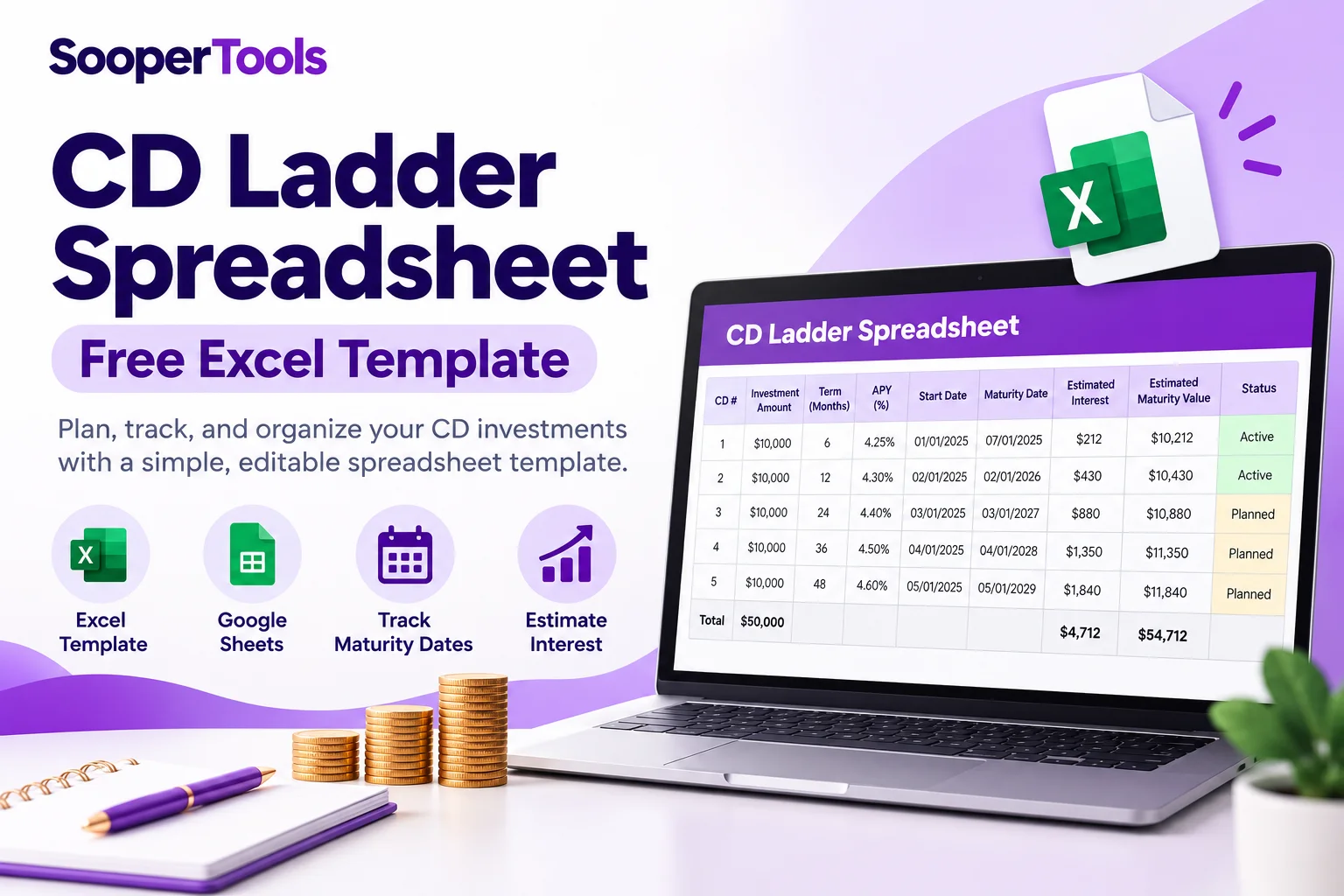
Table of Contents
CD Ladder Spreadsheet: Free Excel Template
A CD ladder spreadsheet helps you organize certificates of deposit with different maturity dates, track the amount invested in each CD, estimate interest, and plan what to do when each deposit matures. This free, editable Excel workbook includes 10 CD rows, formula driven maturity dates, estimated interest, estimated maturity values, reinvestment dates, and tracking fields. You can open the workbook in Microsoft Excel or import it into Google Sheets, then save your working copy in your preferred format.
Download the Free CD Ladder Spreadsheet
Start with an editable spreadsheet containing 10 CD rows and formulas for projected maturity dates, estimated interest, and estimated maturity values. Enter your own deposits, terms, APYs, and dates to build your schedule.
Download the actual Excel workbook: Download the Free CD Ladder Spreadsheet
The workbook contains a prepared tracker with formula columns and summary totals. You can edit it in Excel or import it into Google Sheets. The spreadsheet is provided for planning and tracking, not as a source of live CD rates or a guarantee of returns.
Important: Enter the APY shown in the financial institution’s current CD disclosure, check the actual maturity terms, and update your records when a CD matures or is reinvested.
What Does the CD Ladder Spreadsheet Track?
The template separates information you enter from values calculated using those inputs. This makes it easier to review each CD individually, identify upcoming maturity dates, and record what happened when a deposit reached maturity.
| Spreadsheet field | Purpose | How to use it |
|---|---|---|
| Principal | The original amount invested in an individual CD. | Enter the deposit amount in US dollars. |
| CD term | The contracted term before maturity. | Enter the term in months, such as 6, 12, 24, or 60. |
| APY | The annual percentage yield used for the estimate. | Enter a percentage number, such as 4.25 for 4.25% APY. |
| Funding date | The date the CD begins for tracking purposes. | Enter a valid date in your spreadsheet application. |
| Projected maturity date | An estimated date calculated from the funding date and term. | The formula uses the funding date and adds the entered number of months. |
| Estimated interest | The interest projection based on principal, APY, and term. | The formula calculates an estimate using the APY entered. |
| Estimated maturity value | The estimated principal plus projected interest. | Use it for planning, then compare it with the institution’s actual maturity statement. |
| Reinvestment date | The date you reinvest a matured CD, if applicable. | Enter it manually after making the reinvestment decision. |
| Actual maturity value | The amount reported by the financial institution when the CD matures. | Record the actual amount rather than relying solely on the estimate. |
| Status and notes | Tracks the stage of each CD and any relevant details. | Use statuses such as Planned, Active, Matured, or Reinvested, and record renewal instructions or other notes. |
How to Use the CD Ladder Spreadsheet Template
- Download the workbook. Use the download link above to get the Excel file.
- Open it in Excel or Google Sheets. Open the file in Excel, or import it into Google Sheets and save your own copy.
- Enter your principal amounts. Add the amount invested in each CD. You can use equal amounts or enter different deposits based on your plan.
- Enter each CD term and APY. Use the term in months and enter APY as a percentage number. For example, enter 4.25 for 4.25%.
- Enter the funding date. The maturity date formula uses this date and the selected term to calculate a projected maturity date.
- Review the calculated estimates. The workbook calculates estimated interest and estimated maturity value when the required inputs are supplied.
- Maintain the tracker. Record reinvestment dates, actual maturity values, statuses, and relevant notes as circumstances change.
The projected maturity date, estimated interest, and estimated maturity value columns contain formulas. Principal, term, APY, funding date, reinvestment date, actual maturity value, status, and notes are fields you maintain.
Avoid overwriting the formula columns unless you intend to replace their calculations.
How Does the Spreadsheet Calculate CD Interest?
The template uses principal, APY, and the term entered to estimate the interest for each CD. APY is treated as an effective annual yield, and the model applies that yield over the fraction of a year represented by the CD term. This is a planning approximation, not a reproduction of every bank’s interest calculation method.
Example: Estimate Interest on One CD
Suppose you enter a $5,000 deposit, a 12 month term, and an illustrative 4.00% APY.
| Input or result | Illustrative value |
|---|---|
| Principal | $5,000.00 |
| Term | 12 months |
| APY | 4.00% |
| Estimated interest | $200.00 |
| Estimated maturity value | $5,200.00 |
This is a mathematical example using an assumed APY, not a current rate offer. Actual interest and maturity value depend on the CD contract and the financial institution’s calculation and crediting terms.
Interest formula
For each rung, the spreadsheet estimates interest using this relationship:
Estimated Interest = Principal × [(1 + APY)^(Term in Months ÷ 12) − 1]
In the workbook, APY is entered as a percentage number, so the formula converts it to a decimal internally. For example, an entry of 4.00 is treated as 4.00% or 0.04.
The projected maturity value is calculated as:
Estimated Maturity Value = Principal + Estimated Interest
The maturity date formula adds the CD term in months to the funding date. The resulting date is a planning estimate. Always check the financial institution’s actual maturity date and account agreement before taking action.
How to Organize a CD Ladder with Different Maturity Dates
A CD ladder spreads deposits across CDs with different terms. The spreadsheet lets you track each CD separately rather than treating every deposit as if it matures on the same date.
For example, a person might create five rungs with terms of 12, 24, 36, 48, and 60 months. Each rung would have its own deposit amount, APY, funding date, and projected maturity date. The spreadsheet can then be used to track the estimated value of each rung and record what happens when it matures.
This is only an example of a ladder structure. It is not a recommendation to use these terms or commit a particular amount of money. Choose the terms based on expected cash needs, available CD products, and the terms of each account.
For a broader explanation of how staggered maturities work, read the CD ladder guide. To model a ladder’s initial deposits, terms, APYs, and projected maturity schedule interactively, use the SooperTools CD Ladder Calculator.
How to Track CD Maturities and Reinvestment
The projected maturity date helps you see when a CD is expected to mature, while the reinvestment date records what you actually do afterward. Keeping these fields separate prevents a plan from being confused with a completed transaction.
When a CD reaches maturity, check the financial institution’s notice and maturity instructions. Depending on the product and the institution’s terms, the CD may renew automatically or the proceeds may be handled differently. Record the actual maturity value, update its status, and enter a reinvestment date if you put the money into another CD.
Do not assume that the original APY will remain available for a renewal. Rates and renewal terms can change. The FDIC guidance on shopping for a certificate of deposit explains why consumers should review deposit agreements, maturity instructions, and the terms that apply to the product they select.
For a ladder designed around cash needs in the near term, the short term CD ladder guide explores how shorter maturities can fit into savings planning.
What the CD Ladder Spreadsheet Does Not Do
The template is designed for organizing and estimating a CD ladder. It does not retrieve live interest rates, automatically connect to a bank, or update APYs when offers change. Users must enter and maintain their own assumptions and tracking information.
It also does not automatically reinvest matured deposits, calculate taxes, account for every possible fee or early withdrawal penalty, or reproduce all institution specific interest calculation methods. Its projected interest and maturity values should not be treated as guaranteed outcomes.
Before purchasing a CD, review its specific term, interest rate and APY, maturity instructions, early withdrawal provisions, and any renewal terms. The Consumer Financial Protection Bureau explanation of certificates of deposit provides an overview of CD terms and the potential penalty for withdrawing funds before maturity.
Frequently Asked Questions
Is the CD ladder spreadsheet free?
Yes. The template can be downloaded from this page without a charge. It is an Excel workbook that can also be imported into Google Sheets. You can save your working version in your preferred spreadsheet format.
Can I use the template in Microsoft Excel?
Yes. Open the downloaded workbook in Excel. It contains formula columns for projected maturity dates, estimated interest, and estimated maturity values. Save a working copy to retain your edits.
Can I use the CD ladder spreadsheet in Google Sheets?
Yes. Import the Excel workbook into Google Sheets and save your own copy. Check that dates, formulas, and formatting imported correctly before relying on the calculations.
What APY should I enter?
Enter the APY disclosed for the specific CD you are modeling. Use a percentage number, such as 4.25 for 4.25% APY. Rates can differ by product and term, so do not assume that every CD in the ladder offers the same APY.
Does the template automatically reinvest a CD when it matures?
No. It calculates projected maturity dates and provides fields to record reinvestment dates and actual maturity values. You must update these fields when a CD matures and you decide what to do with the proceeds.
Are the estimated interest and maturity values guaranteed?
No. The estimates use the principal, term, APY, and dates entered. The actual result depends on the CD contract and the financial institution’s terms, including how interest is calculated and credited. Use the institution’s maturity information for the actual amount and date.
Can I change the number of CD rungs?
The template contains 10 prepared CD rows. You can use fewer rows by leaving unused rows blank. If you need more than 10 rungs, add rows in your spreadsheet application and adjust the summary formulas so they include the additional entries.
Should I use this spreadsheet or an online CD ladder calculator?
Use the spreadsheet when you want an editable record you can retain and update over time. Use the online CD Ladder Calculator when you want to model an initial ladder and inspect its estimated interest and maturity schedule without maintaining a separate file. The two resources serve different but complementary purposes.
Start Building Your CD Ladder Tracker
A CD ladder spreadsheet brings deposit amounts, terms, APYs, projected maturity dates, and reinvestment records together in one editable place. Download the workbook, establish your tracking schedule, compare estimates with the actual CD disclosures, and update the file as your deposits mature.
Download the workbook: Free CD Ladder Spreadsheet Template
The template is a planning aid, not personalized financial advice. Confirm your CD’s actual terms and maturity instructions with the issuing financial institution.